One feed instead of five platforms
Bring listings, photos, specifications, and seller contact details into one app. Users no longer had to repeat the same search across multiple marketplaces.
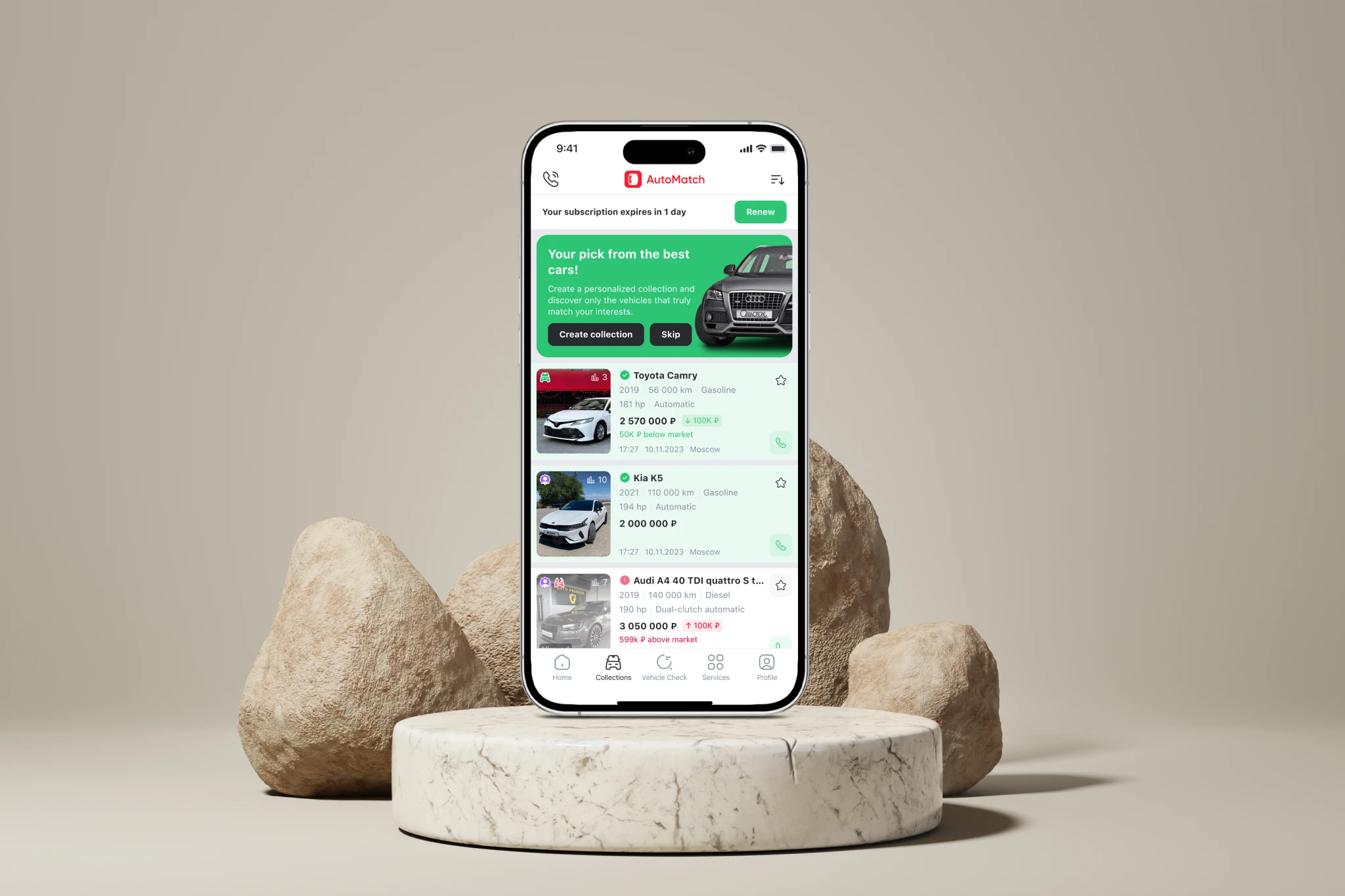
An iOS app that combines used-car listings from multiple platforms into one feed. Users can review photos and specs, compare listings, and contact sellers without leaving the app.
Context
The primary users were active used-car shoppers. Every day, they opened several marketplaces, repeated the same searches, compared listings, and tried not to miss new options.
I worked directly with the product owner. There was no frontend engineer on the team at this stage.
Role
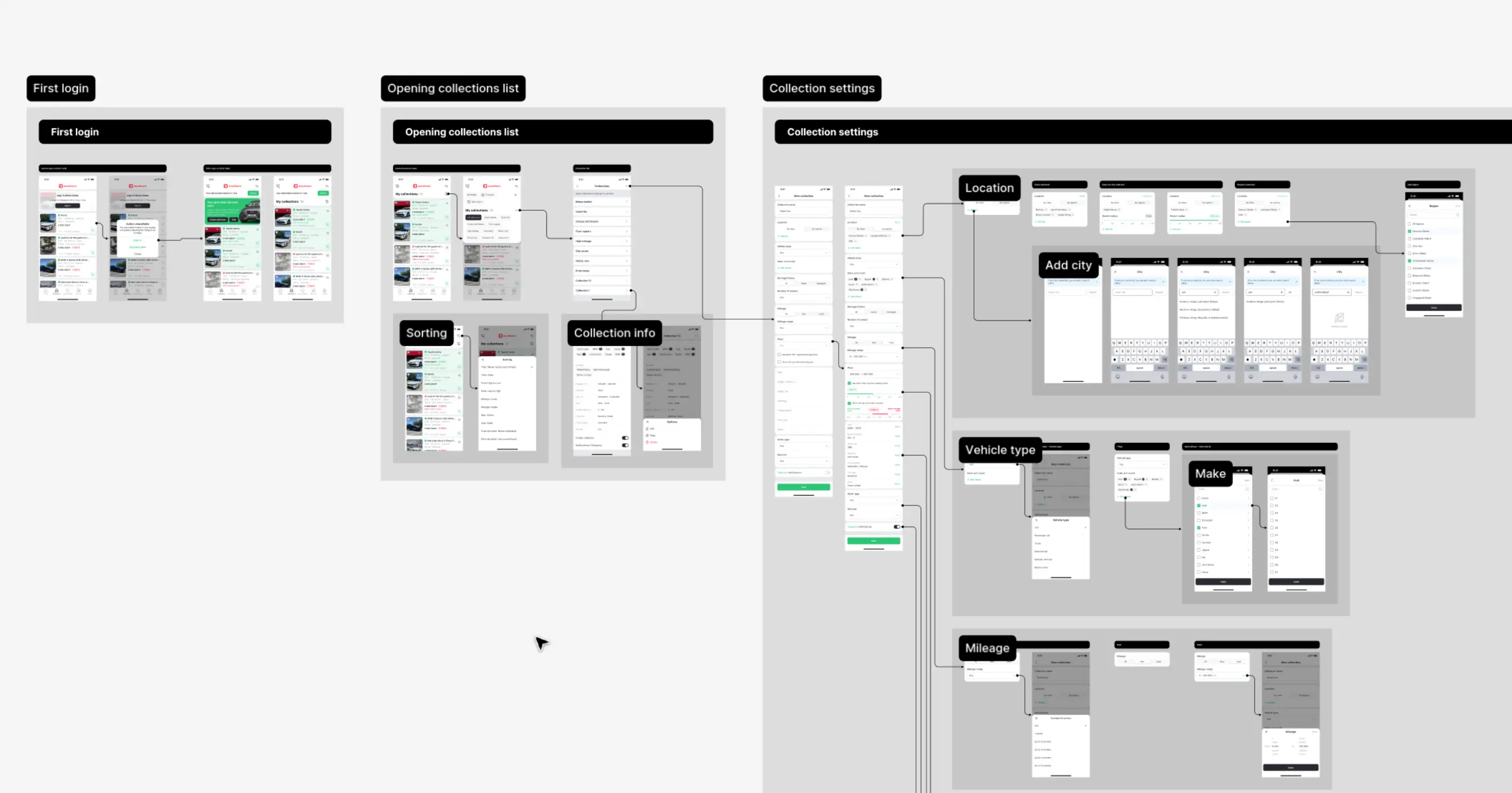
I inherited a set of disconnected screens with no component library, documented flows, or onboarding. I rebuilt the core user flows, created the components, added missing screens, and documented edge cases.
Goals
Bring listings, photos, specifications, and seller contact details into one app. Users no longer had to repeat the same search across multiple marketplaces.
Give users dozens of search criteria while keeping the screen clear and manageable.
Show enough information to evaluate a car without opening every listing. Users could immediately see the price, key specifications, new listings, and which cards they had already viewed.
Key Solutions
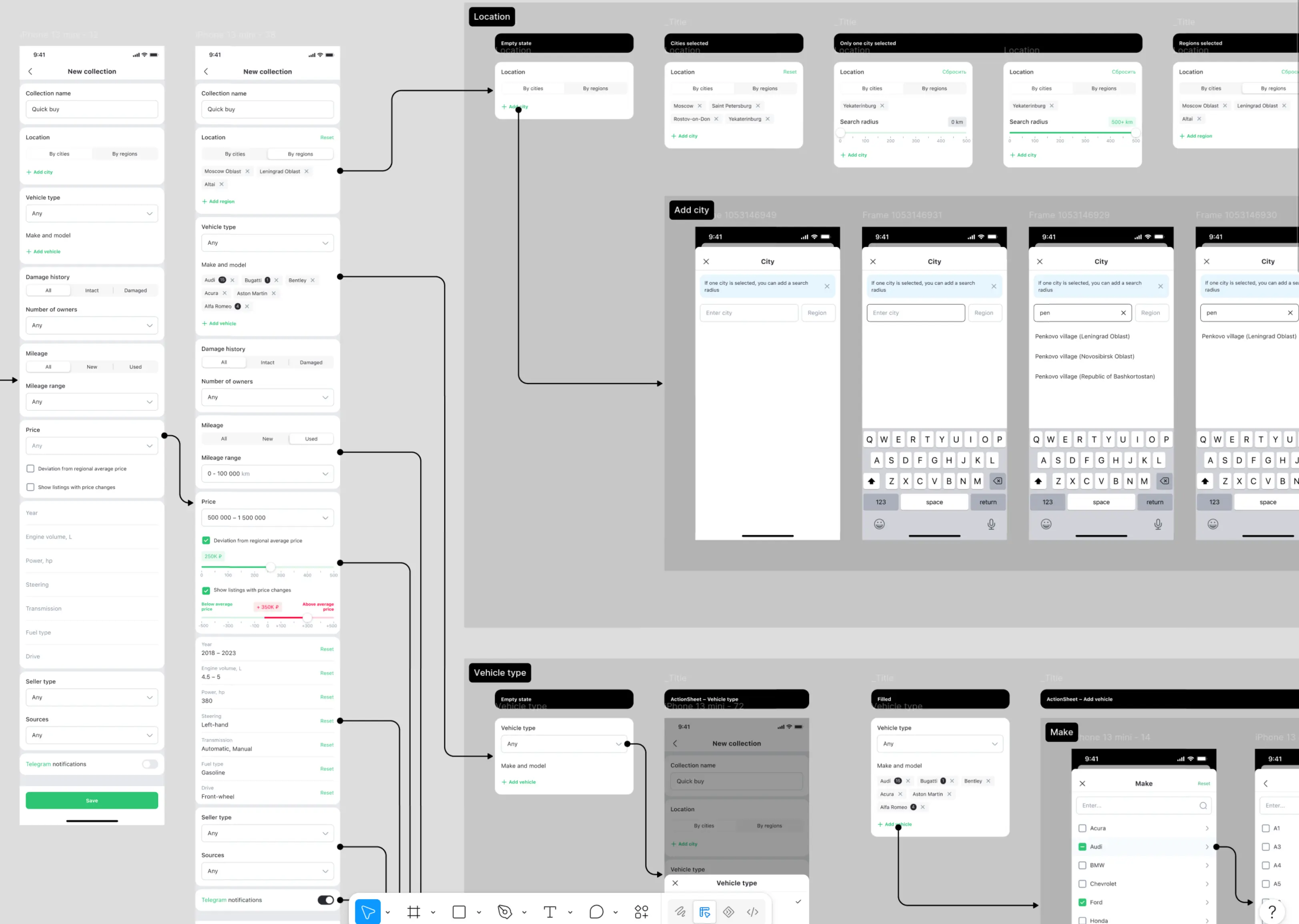
The filter covered location, make and model, body type, damage history, mileage, price, engine, transmission, fuel type, seller type, and other criteria. I grouped the settings into clear sections. I used segmented controls for short choices, chips for multi-select, and compact range inputs for numeric values. Everything stayed on one scrollable screen without feeling like one long form.
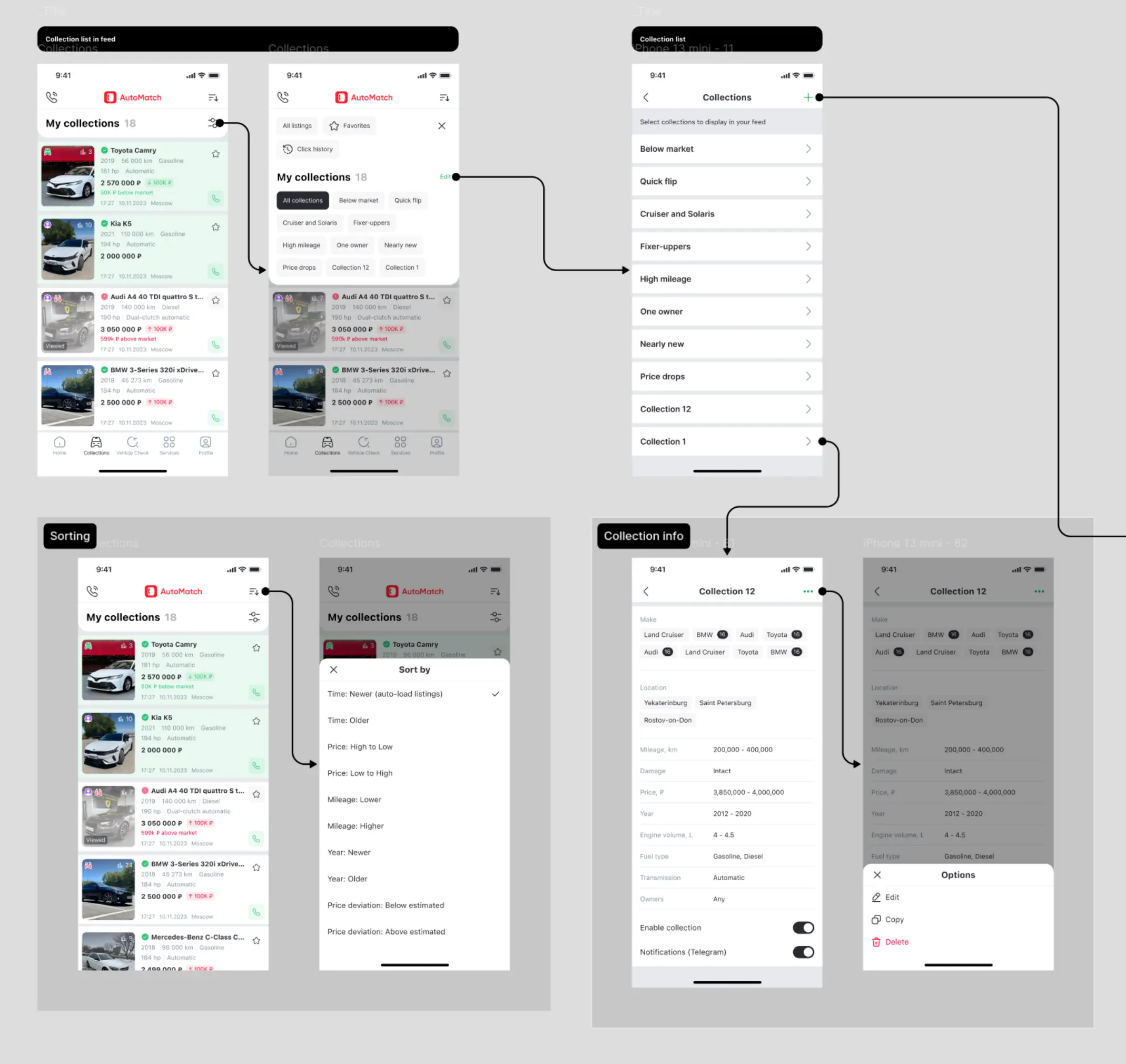
The compact card needed to show the photo, model, price, specifications, mileage, location, difference from the market average, and viewed status. I prioritized the information: the car and price came first, specifications came second, and supporting statuses stayed visible without competing with the main content.
What Was Designed
Creating a saved search with multiple criteria, including all key states and edge cases.
Cards with vehicle specifications, price difference from the market average, viewed status, and update behavior.
A shared set of components, states, and interaction rules for every screen in the app.
Onboarding, the home screen, user profile, and supporting sections.